
Education plan
The Education plan costs nothing. It gives you everything the Personal plan gives you:
- Scenarios
- Custom map layers
- Custom attributes
- Custom elevation sources
- The pipe library
- Zones
- Native pump controls
Support comes through the community channels.
The plan is for non-commercial academic use. This includes coursework, teaching, dissertations and research that a company does not pay for. See Plans and licensing for the full comparison, and for what counts as commercial work.
The plan does not include two things from the Pro plan: Professional support and the Pro model builder. The Personal plan does not include them either. The Legacy model builder is available on this plan, as it is on every plan. See Build a model from GIS.
How the plan is granted
Section titled “How the plan is granted”You get the plan automatically, from the email address you register with.
When you create an account, epanet-js checks the address against a list of recognized academic domains. If the address matches, the account goes onto the Education plan immediately. There is nothing to apply for and no code to type.
The menu bar shows you that the plan is active. On a paid plan, a plan label beside your account avatar replaces the Upgrade button. On this plan, the label reads EDUCATION.
Registering with a student address
Section titled “Registering with a student address”The Education card is on the Non-commercial use side of the Upgrade your account dialog. The button on that card is Use student email.
When you press the button, the app checks for unsaved changes. Then it signs you out and takes you to registration. You create the new account with your academic address, and the check runs against that address.
Save your work before you press the button. The button leaves the app.
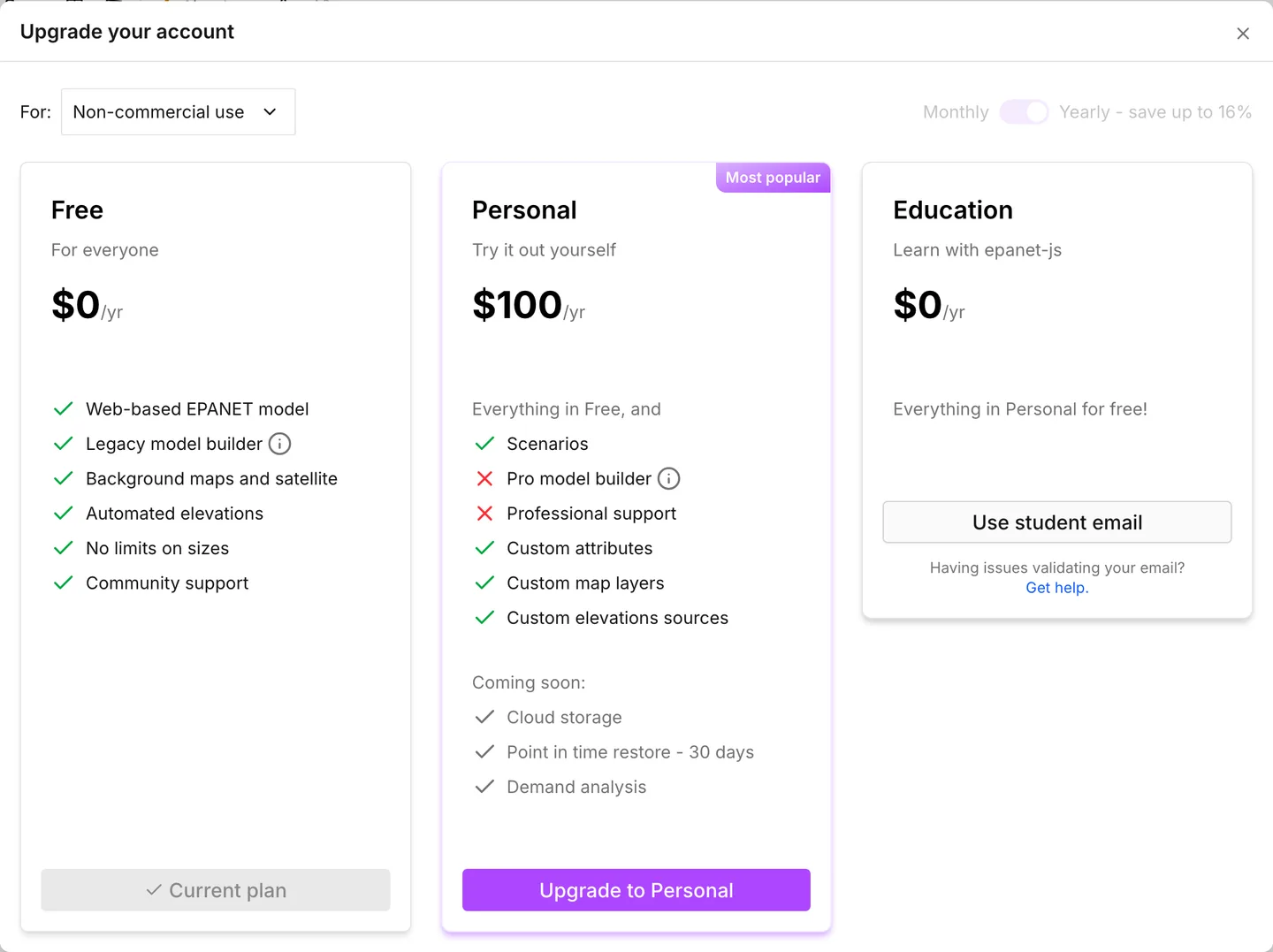
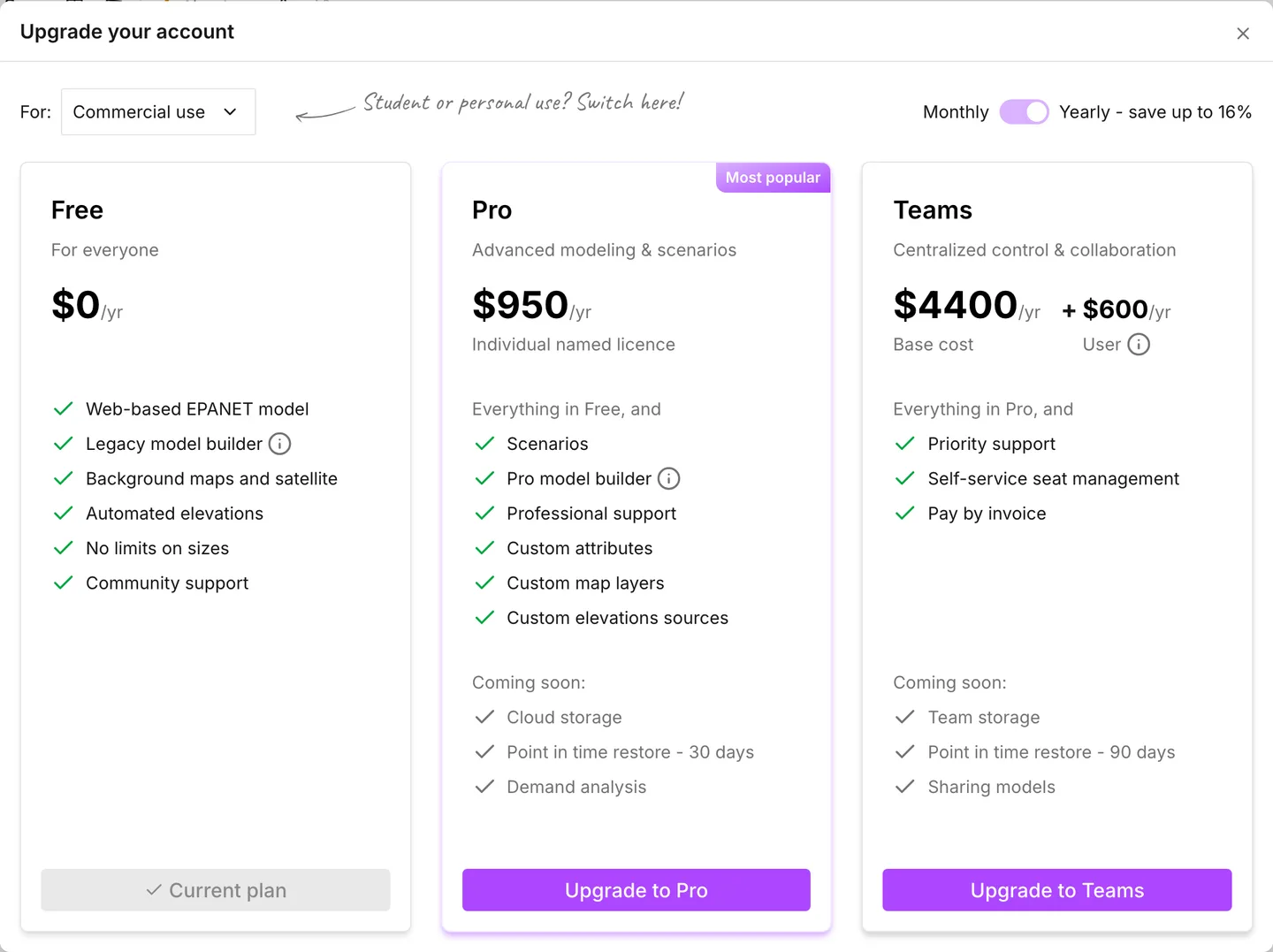
The other side of the same switch is the commercial one. A non-commercial account chooses against that side. See Plans and licensing.
Which institutions are recognized
Section titled “Which institutions are recognized”The swot list decides eligibility, not epanet-js. JetBrains maintains this open list of academic domains. To be on the list, an institution generally must meet these conditions:
- It offers at least one course of a year or more related to IT. Computer science, software engineering, statistics and bioinformatics are examples.
- It is a physical institution with student attendance recognized within an educational system. An accredited online institution also counts. Its courses must run for at least a year. It must also give each student an institutional email address for the whole of their studies.
The list does not include institutions that teach only primary or secondary education.
The requirement for an IT course is the one that gives water engineers a problem. A college can teach civil engineering, hydraulics or water resources and still have no IT program. A college like this can be absent from the list, even when its teaching is relevant here. We handle that case by hand. The section that follows explains how.
If the plan did not activate
Section titled “If the plan did not activate”Under the Education card, Having issues validating your email? has a Get help link. This link opens the help center page on educational licenses. The plan does not activate for three reasons. An email to support@epanetjs.com settles two of them.
Your institution is not on the swot list. If it meets the conditions for the swot list, JetBrains can add it. Send the request to JetBrains, not to us. The repository documents how to add a domain. You or your IT administrator can follow those steps.
Your institution teaches civil engineering, hydraulics or water resources, but it has no qualifying IT program. Write to support with the name of the institution, its website and your academic email address. We can add a domain to the epanet-js list by hand, without the swot list. The domain must clearly belong to an accredited institution that teaches in this field.
Your domain is one that JetBrains marks as abused. The project keeps a list of domains that people misused in the past. The project no longer trusts these domains automatically. If you register with an address on that list, no plan activates. Write to support and say so.
In all three cases, register first. Then write to support, so that there is an account for the plan.
- Plans and licensing — what each plan includes, and the commercial and non-commercial split.
- Accounts and privacy — registering, signing out, and what an account holds.
- Quick start — the fastest way to see whether the app suits the course you are teaching.