
What is epanet-js
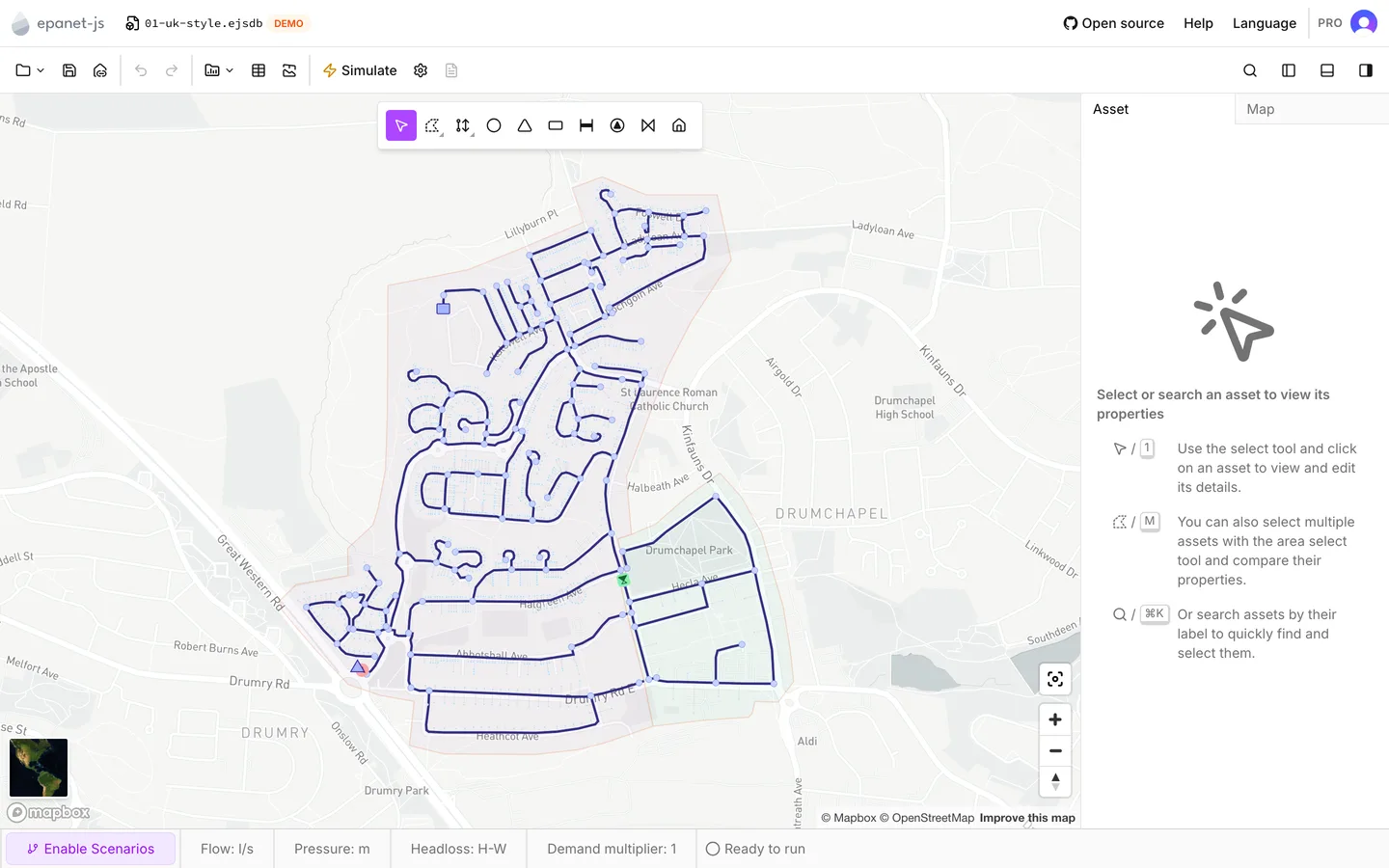
epanet-js is a water distribution modeling app that runs in a browser tab. There is nothing to install and no license server to connect to. You open app.epanetjs.com and start work. The model, the map and the engine are all in the page.
If you already model in EPANET, what you know still applies. What is new is where the controls are. The rest of this help center shows you that.
The engine is EPANET
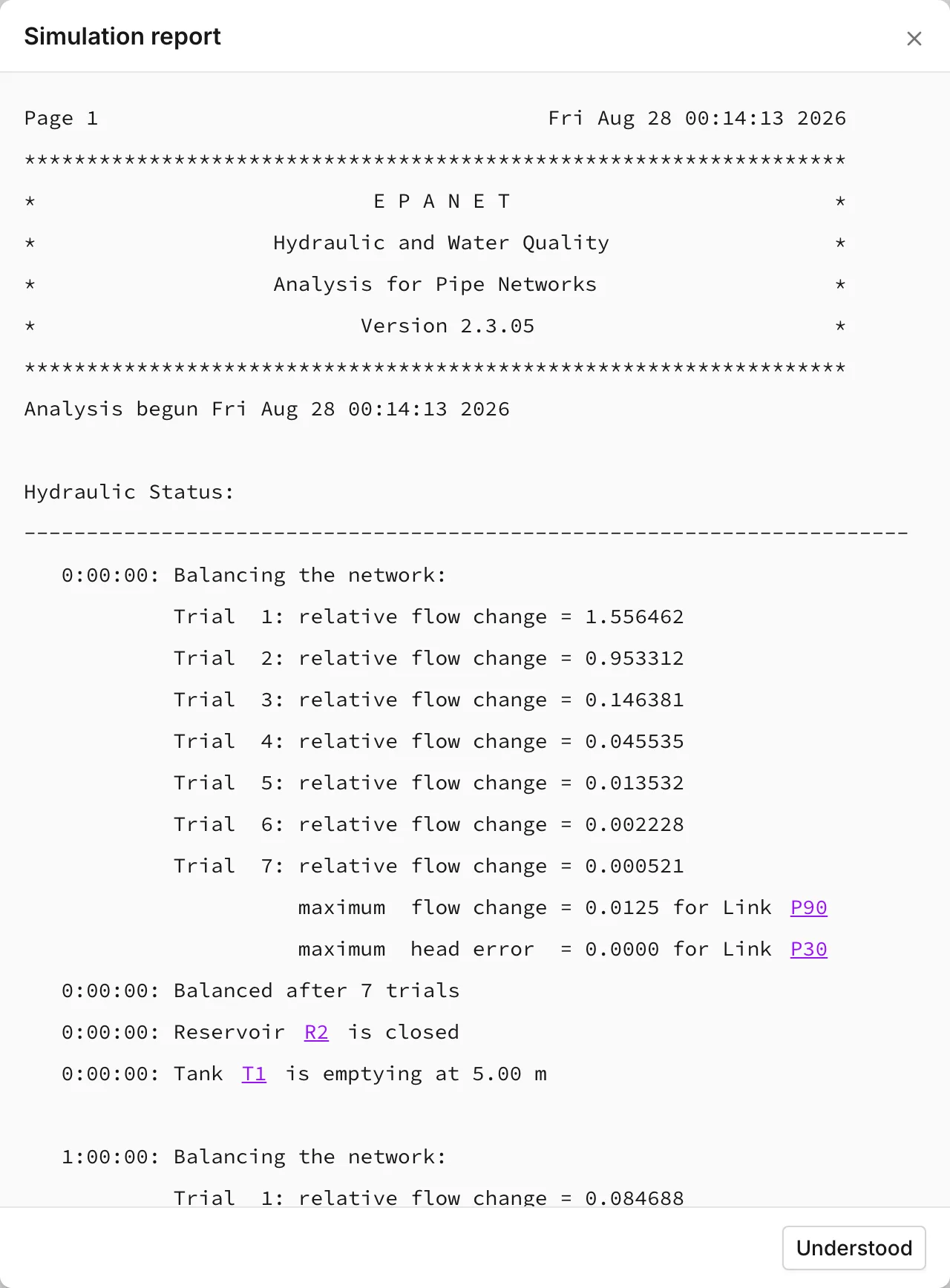
Section titled “The engine is EPANET”epanet-js does not solve the hydraulics itself. When you press Simulate, the app writes the model as an EPANET input file and gives it to the Open Water Analytics EPANET toolkit. The toolkit is compiled to run inside the browser, and it runs in a background worker. As a result, the interface stays responsive. The results you read are the results of that toolkit. The report behind View report is EPANET’s own report text.
This has two consequences:
- EPANET’s documentation is still the reference for the hydraulics. The EPANET 2.2 manual explains what an option does. For example, it explains what the accuracy tolerance means, how a PRV is solved, and why a run reports an unbalanced network. This help center explains the interface, not the method.
- The vocabulary is EPANET’s vocabulary. Junctions, tanks, reservoirs, patterns, curves, and simple and rule-based controls all mean what they mean in EPANET. This help center tells you where epanet-js adds something EPANET does not have, such as zones, customer points, custom attributes and scenarios.
Your model stays on your machine
Section titled “Your model stays on your machine”epanet-js is local-first. Your browser holds the model that you open or draw.
Save writes it to a file that you choose on your own file system, an
.ejsdb project file, not an INP. There is no project store on a server to
sync with. The paid plans list cloud storage as Coming soon, not as
something that exists today.
This has several effects that you meet early:
- You are responsible for saving. The app keeps a recovery copy for a crash, but the file on disk is the model. See Storage and recovery.
- An INP is an exchange format here, not the working format. You import one to bring a model into the app, and you export one to share it. See Import and export.
- You do not have to sign in. Guests can build, run and save models. An account unlocks the early-access features, full-resolution satellite imagery and the paid plans. See Accounts and privacy.
What it is not
Section titled “What it is not”- It is not a course in hydraulics. This help center assumes that you know why a run fails to converge. It tells you where the convergence settings are.
- It does not read every INP feature. After an import, the Partially supported features dialog lists what the importer could not carry across. You see the gaps at that moment, and not later in the results. See Open an existing model.
- It is not a clone of the EPANET desktop layout. The window is a map with panels around it. See The interface.
License
Section titled “License”The Functional Source License (FSL-1.1-MIT) covers the app source. This license permits personal, research, educational and internal use. Each commit becomes fully MIT two years after it lands in the repository. The Open source entry in the menu bar links to the repository.
- Quick start — a demo network, a run and a set of results, in about five minutes.
- Build a model, Open an existing model or Scenario work — the three jobs people arrive with.
- FAQ — the short answers.