
Reservoirs
A reservoir is a node held at a head you set. Nothing the network does moves that head. The reservoir supplies or accepts whatever flow the run asks for. Its head at the end of the run is the same as at the start, unless a pattern varies it.
This is the whole difference from a tank. A tank has a floor, a finite volume and a level that follows what flows in and out. So a reservoir is the model for a source big enough that drawing on it does not change its level. A treatment works outlet, a trunk main from a neighboring zone and a river are all sources of this kind. A tank is the model for storage when its level is part of the run.
Both a reservoir and a tank count as supply for the connectivity check in the network review. Both also stop a selection trace.
Reservoirs come from the Reservoir tool (3), from a GIS build, or from an INP. When you select a reservoir, the side panel opens on the Asset tab. See The Asset tab for the panel itself. See Drawing and editing for how to place a reservoir, and for how to turn an existing junction into a reservoir.
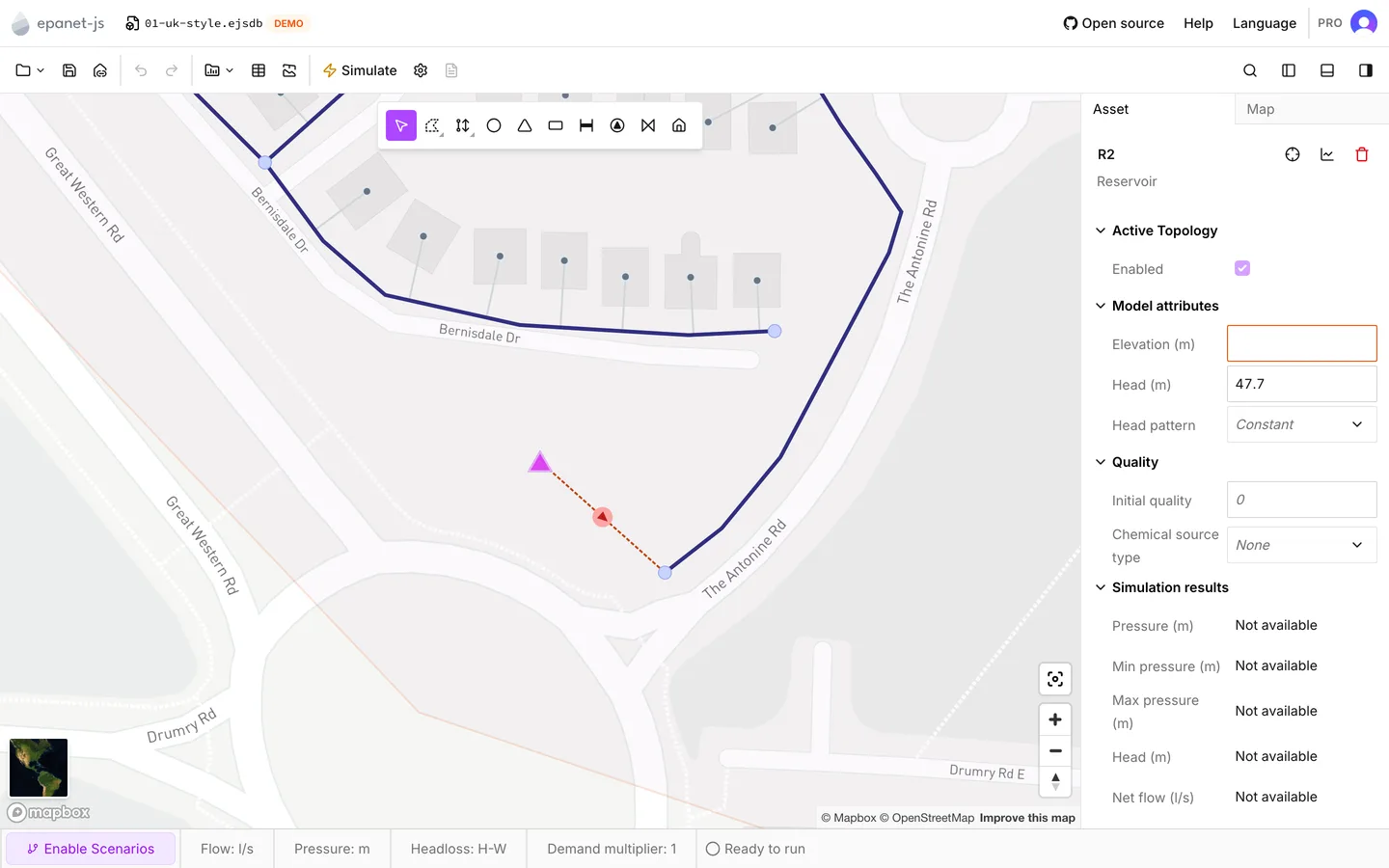
Model attributes
Section titled “Model attributes”Head is the total head at the reservoir, in the head unit of the project. It is the only property the model needs. It is an absolute head, not a depth. It uses the same datum as every elevation in the network. So a reservoir that supplies junctions at 40 m needs a head of more than 40, not a head of 5.
A reservoir you draw arrives with Head empty. A reservoir from a GIS build with nothing mapped to Head arrives empty in the same way. Until you type a head, the Model attributes check reports it as Reservoir head missing. See Network review.
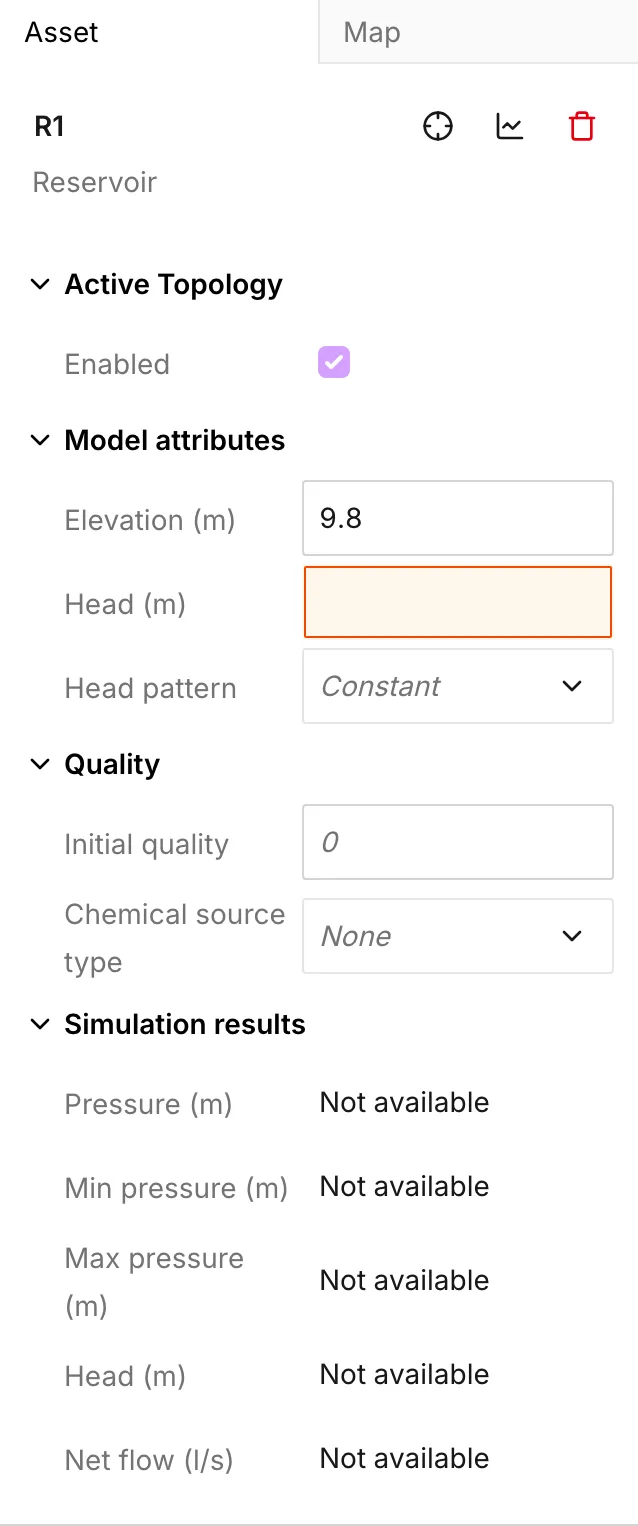
Head pattern is optional. Its default is Constant. When you choose a pattern, the run multiplies the head by the multipliers of that pattern at each timestep. This is how you model a source that rises and falls on a daily cycle, without giving it storage.
Head pattern offers only the patterns from the Reservoir head section of the library. Open patterns… opens the library at that section. See Patterns.
When you choose a pattern, a read-only Head (average) row appears below it. This row is the head multiplied by the mean of the multipliers of the pattern. It summarizes what you typed. It is not the head at one timestep. A pattern with a mean of 1.0 leaves the row equal to Head. A pattern with a mean of 0.9 tells you that the source sits below its nominal head for most of the run.
Quality
Section titled “Quality”The Quality section affects a run only when water quality analysis is on. See Water quality.
- Initial quality — the concentration or age of the water that the reservoir puts into the network. Empty means 0. On a source, this value is worth a check before you read a water age result, because every value downstream is counted from it. See the EPANET 2.2 manual for how a run holds the quality of a source.
- Chemical source type, Source strength and Source pattern — the three rows that make the reservoir a source of chemical. A junction has the same three rows.
The app reports a negative Initial quality or a negative Source strength as a warning. The two warnings are Initial quality should be zero or greater and Source strength should be zero or greater.
Simulation results
Section titled “Simulation results”After a run, this section carries these rows for the timestep that the time browser shows:
| Row | What it is |
|---|---|
| Pressure | Pressure at the reservoir. The engine never gets the Elevation on this panel, so this pressure is not the head minus that number |
| Min pressure | The lowest pressure in the whole run |
| Max pressure | The highest pressure in the whole run |
| Head | Total head. This is the head you set, multiplied by the pattern at this timestep |
| Net flow | Flow into the reservoir from the network. A reservoir that supplies the network reads negative |
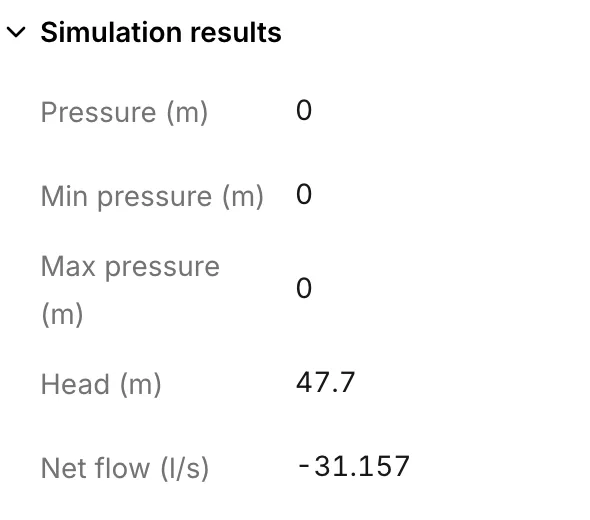
Water age, Water trace and Chemical join these rows when the run produced them. Every row follows the time browser. See Reading results.
Net flow is the row worth watching. It is the only result of a reservoir that tells you something you did not put in yourself. It is also the number to compare against the real capacity of the source. Nothing in the model limits it. A run draws 400 l/s from a borehole that can give 40, and it reports nothing.
View graph in the panel header plots Net flow, Head or Pressure across the whole run. See Graphs.
What reaches the run
Section titled “What reaches the run”For each enabled reservoir, the model writes the head. When the reservoir has a head pattern, the model writes that pattern too. It writes nothing else about the reservoir. It does not write the elevation. It writes the initial quality only when quality analysis is on for that run.
The model leaves disabled reservoirs out of the run and out of an exported INP. See The Asset tab.
An INP carries the head of a reservoir and its pattern in full. So a reservoir survives a round trip through Export to INP and back, with both values intact. The elevation does not survive, for the reason in the note on Elevation. See Open an existing model.
Working on many reservoirs
Section titled “Working on many reservoirs”- When you select several reservoirs, the multi-asset panel sets Elevation, Head pattern, Initial quality and the chemical source rows across the whole selection. Head is not one of them. You set Head one reservoir at a time, or in the data table.
- The Reservoirs tab of the data tables does take Head, together with everything the panel has. This tab also accepts a paste down a column.
- Tanks — the other source node, with storage and a level that moves.
- Patterns — where a head pattern is built.
- Water quality — what Initial quality feeds.
- Network review — the supply-source check that counts reservoirs.